

Create your account for free or log in to get SOUNDLAB member benefits like free delivery, faster checkout, special rewards, access to events, and more. Learn more about SOUNDLAB
Create account Log in


Create your account for free or log in to get SOUNDLAB member benefits like free delivery, faster checkout, special rewards, access to events, and more. Learn more about SOUNDLAB
Create account Log inPLYR WIRELESS TRANSMITTER
USER GUIDE, TROUBLE SHOOTING & FAQ’S
QUICK START GUIDE
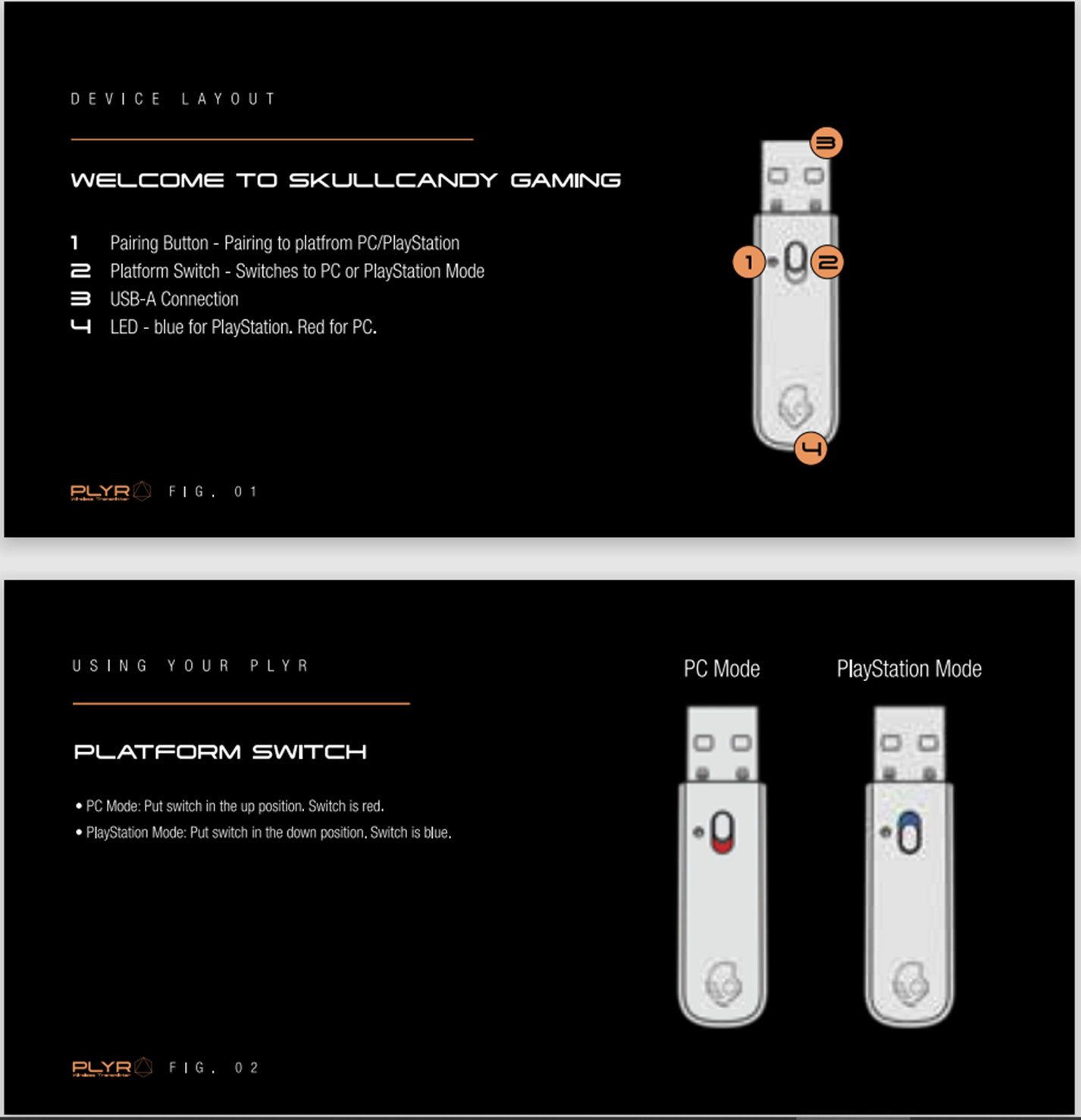
WHAT’S IN THE BOX
COMPATIBILITY
What devices can I use my Wireless Transmitter with?
PLYR Wireless Transmitter can be used with:
INITIAL SETUP & PAIRING
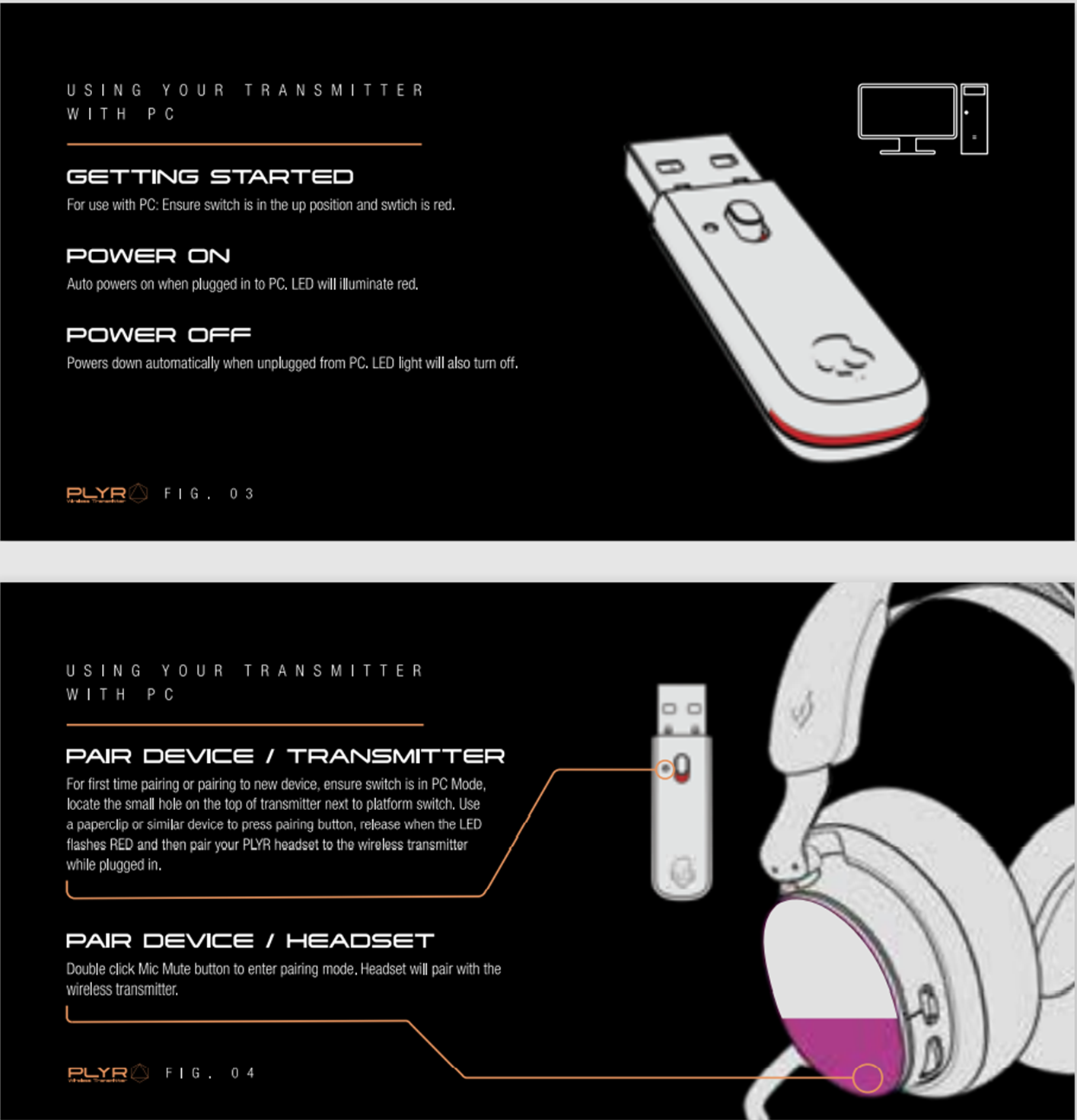
PC SETUP
PC AUDIO AND CHAT SETTINGS
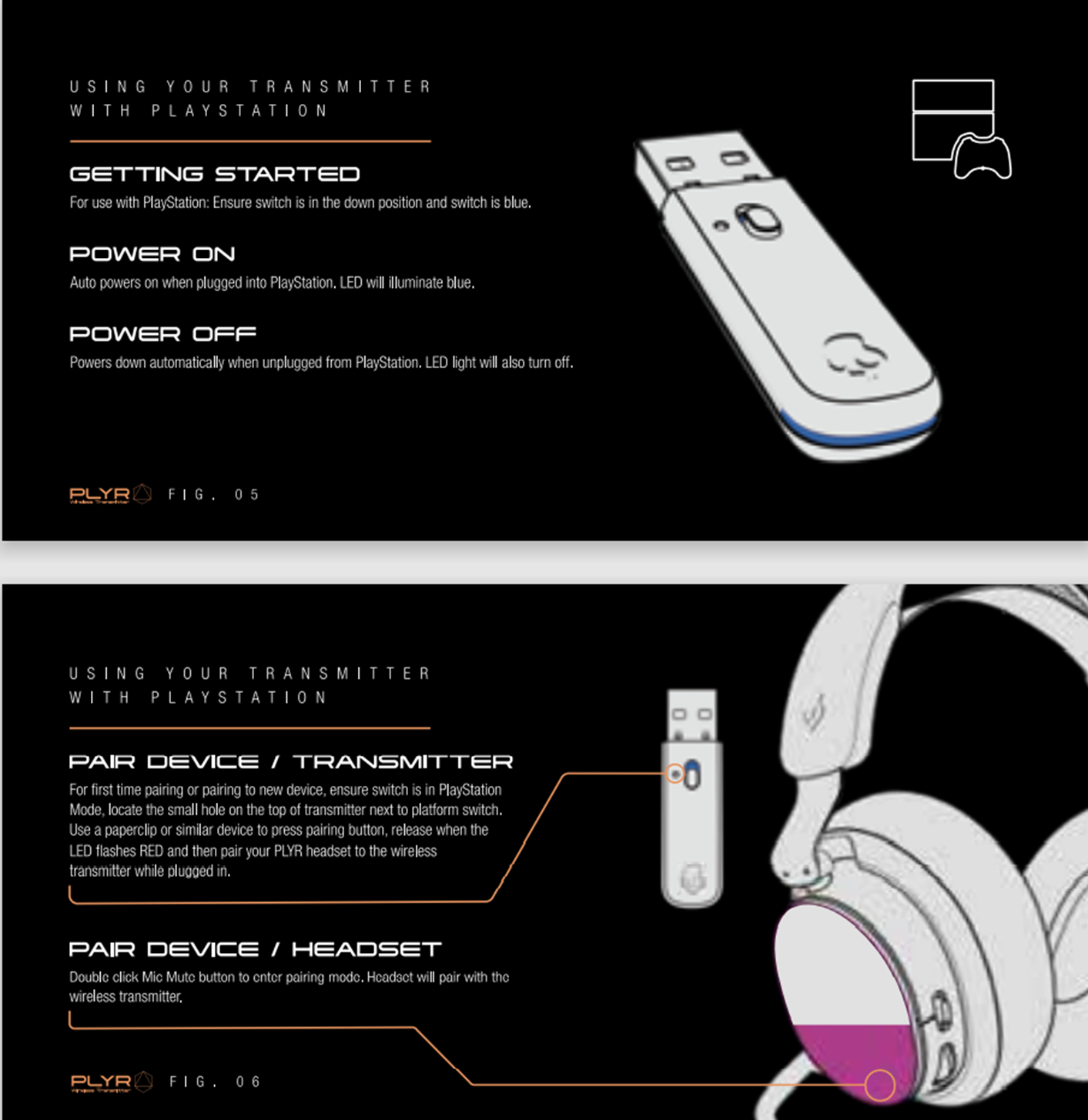
PLAYSTATION 4 & 5 SETUP
NINTENDO SWITCH SETUP
PLYR WIRELESS TRANSMITTER FAQS
Can I use with any Bluetooth Headset?
No, PLYR Wireless Transmitter is designed specifically for the PLYR headset.
Can I access SKULL-HQ Software using PLYR Wireless Transmitter?
Yes, PLYR wireless transmitter connected to your PC will give you full access to Skull-HQ features.
Can I use the PLYR wireless transmitter to Dual-Connect to PC or Console and mobile device via Bluetooth at the same time?
Yes, this is Dual-Connect, and means you can connect your PLYR wireless transmitter to your PC, or console and simultaneously connect to any Bluetooth enabled mobile device. However, you can only receive one audio source at a time and not simultaneously. Your PLYR will auto switch between the wireless transmitter connection and mobile connections. When your PLYR is using the wireless transmitter connection during gaming, it is in HFP standby mode for mobile device. When a phone call is received coming and user is talking by phone, it will be suspended for 2.4G dongle.
What is the latency and audio quality specification?
PLYR wireless transmitter has a ultra-low latency rating of 20ms and audio quality 48KHz/16bits/256kbps
Why is low latency audio important in gaming?
A rate from 20 to 100ms can be an acceptable latency for most gaming, and really won’t affect. Anything from 100-150ms can be workable but will be noticeable. If your gaming audio lagged in the past, it’s probably because you were operating over 150ms. Anything over 150ms is going to be noticeably frustrating. Most First Person Shooter (FPS) games require instant feedback for shooters. In order for you to be effective and for these games to function well, there needs to be around 30ms or less of latency. Other games may be able to function well at around 50ms, but the FPS genre is very demanding.
WARRANTY:
PLEASE BE SURE TO REACH OUT TO CUSTOMER SERVICE BEFORE FILING A CLAIM, WE CAN LIKELY HELP YOU QUICKLY TROUBLE SHOOT AND SOLVE YOUR PROBLEM***
What happens if my PLYR wireless transmitter breaks or is lost?
If it is a manufacturer's defect, Skullcandy has you covered with a 1 Year Limited Warranty.
PLYR Wireless Transmitter is an accessory and you can purchase a replacement from Skullcandy website.